Dot Events Spektrix Wordpress plugin
The Dot Events Wordpress plugin seamlessly integrates Spektrix or Ticket Source with Wordpress. It already powers several large theatre websites. It is aimed at web design agencies who are quoting on or implementing Wordpress sites for theatres or other events organisations. The purchase price includes a license to use the plugin for the lifetime of the website and several hours of my time to install, test, train and support it. Once setup, the client can manage it completely by themselves. Read on to see how it works.
1. Install the plugin
The plugin has to be uploaded and activated, with the Spektrix or Ticket Source API key entered into a configuration file. I will assist with this.
2. Create a page for an event
The client then creates a page for each show or event, with images and descriptions.
3. Associate the page with a Spektrix or Ticket Source event
In the Wordpress editor, a dropdown menu appears on the right allowing the client to associate the page with a Spektrix or Ticket Source event.
4. Enter short codes into the page
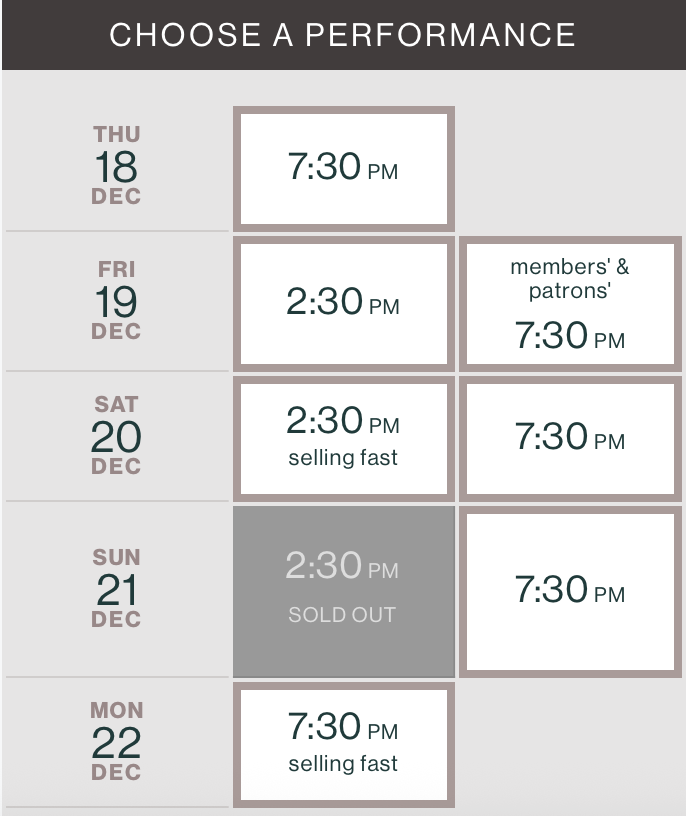
The client then places such as [dot_events attribute="times"] to show a table
of show times. The table turns Spektrix attributes into CSS classes (such as
members & patrons in the screenshot below) and uses ticket sales to
add sold out and selling fast classes:
Many other short codes are available which retrieve information from Spektrix such as
[dot_events attribute="minutes"] to display the show duration.
5. Booking process
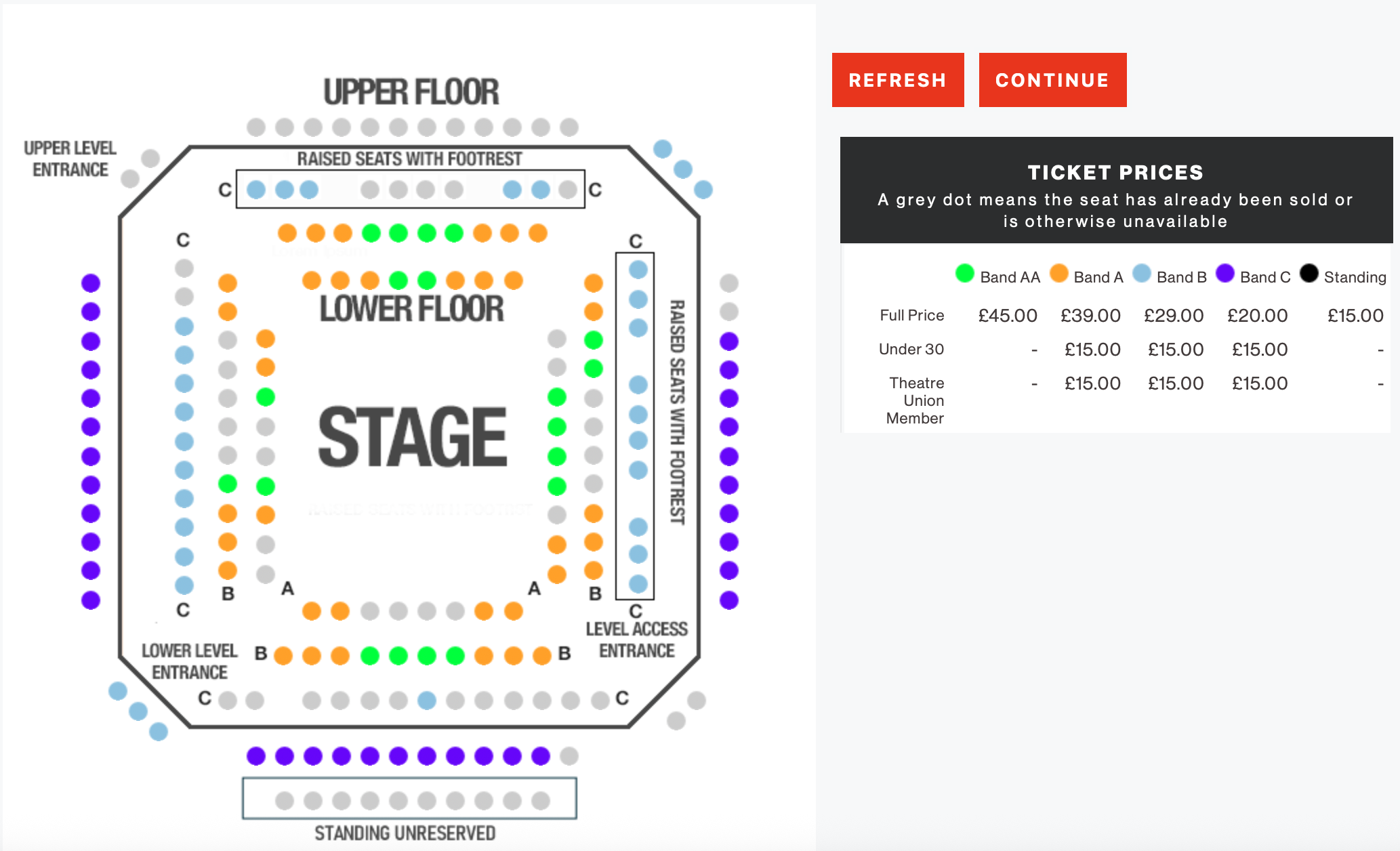
When the customer clicks on a showtime, they go to a separate Wordpress page which
embeds an <iframe> from Spektrix or Ticket Source. The customer completes
their purchase within the <iframe>:
Styling this <iframe> can be very involved.
It is not easy to test changes and the heirarchy of CSS classes (particularly for Spektrix)
is complex. Therefore the plugin includes a template which allows this to be
done locally, without having to constantly go through the booking journey page by page
to check changes. The CSS for this can also hosted in the Wordpress theme's folder
(rather than uploading to Spektrix or Ticket Source's server).
Calendar
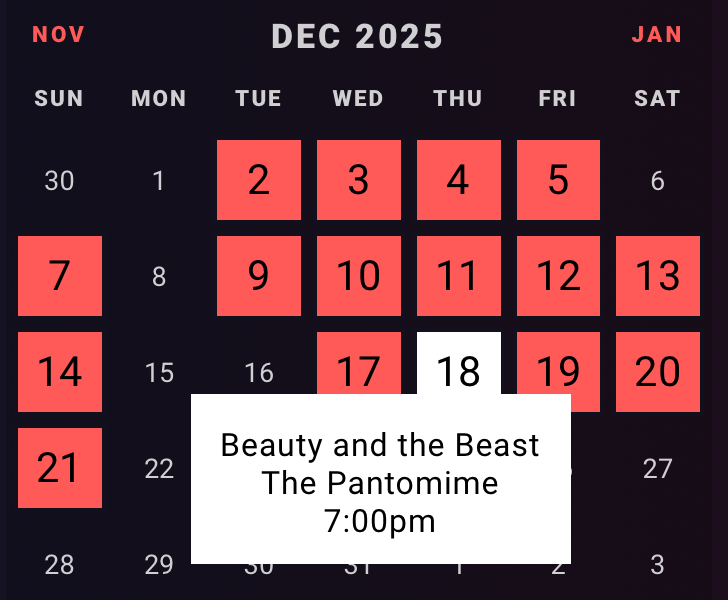
Upcoming events can be automatically added to a Wordpress category of your choice,
and moved to an archive category when the event passes. You can then place
the short code [dot_events calendar="yes"] within a What's On page
to display a Javascript calendar of upcoming events:
You can also limit the calendar to a specific Wordpress category, and you
can use the calendar instead of a table on the individual event pages. For efficiency
Wordpress queries the Spektrix or Ticket Source hourly for event information and caches it
locally.
Elementor Widgets
The plugin includes Elementor widgets to show a carousel of events on the home page or a listing of events on a What's On page.
Other features
There are many other available features, such as promoting memberships in the shopping basket, restricting booking of events to members, a donations form, and instructions for integrating with Google Tag Manager and Meta for analytics.
Examples
This plugin is currently in use on the following theatre websites. Most of these were designed
by Dot New Media. All but The Exchange use Spektrix:
Orange Tree Theatre, Richmond
The Elgiva, Chesham
Towngate Theatre, Basildon
Tacchi-Morris Arts Centre, Taunton
The Other Palace, London
The Royal Windsor, Windsor
The Exchange, Twickenham
Pricing
The plugin plus 5 hours of my time to install and support costs £4000. Further support is available at £80 per hour.
Testimonials
"It has been a pleasure working with Paul. His methodical, yet flexible, approach and calm demeanour made the process really smooth and stress-free - something I recognise as difficult to achieve given the risk and importance of changing a website. His ability to adapt quickly to a new, shorter timeframe was excellent and appreciated. Paul's skills as a web developer were evident as he quickly and efficiently dealt with all of our requirements throughout. We are delighted with how our new website works and connects to our Spektrix box office software. We will highly recommend Paul to anyone requiring a web developer." Andy Pulleyn, director of Tacchi Morris Arts Centre, June 2021
"Paul is wonderful to work with. Proactive, intelligent and pragmatic, he sees his way to the heart of an issue quickly and delivers lean, efficient code that make our projects work faultlessly. We’ve delivered a huge range of projects together and I look forward to many more." Peter Warren, designer of Theatre Royal Windsor, director of Dot New Media
Contact
Please contact me if you would like to see a demonstration or find out more about the plugin.